
PoE Switches
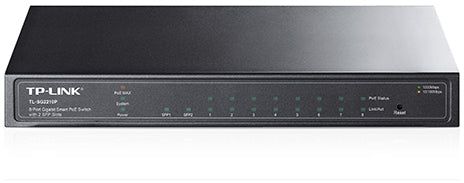
TP-Link Omada SG2210P Smart PoE Switch
Low stock — only 3 left
£115.43£138.52 exc VATinc VAT
 1 / 5
Trade account? Log in for your price
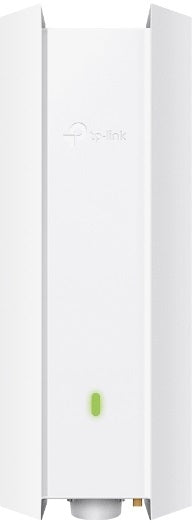
The EAP610 is a ceiling-mount access point from TP-Link's Omada range of professional business Wi-Fi, built for extensive indoor coverage in offices, hotels and campuses. As part of the Omada ecosystem it can be managed in bulk — hundreds of access points administered with the same ease as a single unit.
Power is refreshingly flexible: 802.3at PoE+, 48V passive PoE or the included 12V DC adapter. On a PoE switch such as the Omada SG2210P the install is a single cable to the ceiling, and an OC200 controller brings every Omada device on site under one dashboard. For the areas a ceiling unit cannot reach, the EAP610-Outdoor is the weatherproof sibling.
No — it runs standalone out of the box. Adding an OC200 or software controller unlocks centralised management, which pays off as soon as you run more than a couple of Omada devices.
From an 802.3at PoE+ switch port, a 48V passive PoE injector, or the 12V DC power adapter included in the box — whichever suits the cabling.
Both — ceiling and wall mounting kits are included, and it can also mount to a junction box.
Building out an Omada network? Call 0333 242 1314 or email sales@clisecure.com and we will size the switches, access points and PoE budget before you order.
| Ethernet | 1 × Gigabit Ethernet (RJ45) |
|---|
| Power options | 48V passive PoE / IEEE 802.3at PoE+ / 12V 1.5A DC (adapter included) |
|---|
| Management | Omada ecosystem — centralised management of hundreds of devices |
|---|---|
| Mounting | Ceiling/wall (kits included) or junction box |
| Brand | TP-Link |
|---|---|
| Part number | EAP610 |
| In the box | EAP610, power adapter, ceiling/wall mounting kits, installation guide |