PoE Switches
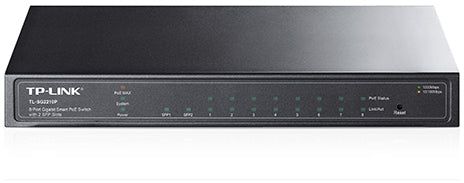
TP-Link Omada SG2210P Smart PoE Switch
Low stock — only 3 left
£115.43£138.52 exc VATinc VAT
 1 / 3
Trade account? Log in for your price
The TP-Link Omada SG2210MP is the high-power eight-port smart PoE switch in the Omada range: eight Gigabit 802.3af/at PoE+ ports backed by a 150 W total budget — nearly the full 30 W available on every port at once — plus two Gigabit SFP slots for fibre uplinks. When every port will carry a hungry access point or PTZ camera, this is the eight-port switch to specify.
Like all Omada SG2xxx switches it can be adopted into Omada SDN for centralised cloud management via the web or app, or managed standalone through web, CLI, SNMP and RMON, with static routing, VLAN, ACL, QoS and IGMP Snooping on board. The durable metal chassis mounts on a desk or in a rack, with the rackmount kit included.
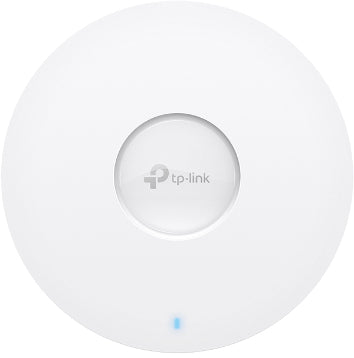
If your PoE demand is lighter, the SG2210P offers the same layout with a 61 W budget; both pair naturally with Omada APs such as the EAP660 HD.
Same port layout — the difference is the PoE budget: 150 W here versus 61 W on the SG2210P. Total up your powered devices' draw; if it comfortably exceeds 61 W, or you want headroom for growth, choose the SG2210MP.
No — it manages standalone via web, CLI, SNMP or RMON. A controller adds cloud access and single-dashboard management across all your Omada switches, APs and routers.
Yes — the metal chassis supports desktop or rack mounting and the rackmount kit is included in the box, along with a power cord.
Fibre uplinks — connect the switch back to a core switch or router over fibre where distance or interference rules out copper.
Powering a dense AP or camera deployment? Call 0333 242 1314 or email sales@clisecure.com and we will size the switches, access points and PoE budget before you order.
| Ports | 8 × Gigabit 802.3af/at PoE+ RJ45 |
|---|---|
| Uplinks | 2 × Gigabit SFP slots |
| PoE standard | IEEE 802.3af/at (PoE+) |
|---|---|
| Per-port PoE | Up to 30 W |
| PoE budget | 150 W total |
| Power | Power cord included |
| Centralised management | Omada SDN — cloud management via web or Omada app |
|---|---|
| Standalone management | Web, CLI, SNMP, RMON |
| Routing | Static routing |
| Features | VLAN, ACL, QoS, IGMP Snooping |
| Mounting | Desktop or rack — rackmount kit included |
| Brand | TP-Link |
|---|---|
| Part number | SG2210MP |