 1 / 4
TP-Link Omada SG2218P Smart PoE Switch
Trade account? Log in for your price
- Ports
- 16 × Gigabit PoE+
- Uplinks
- 2 × Gigabit SFP
- PoE budget
- 150 W (30 W per port)
- Management
- Omada / standalone
Overview
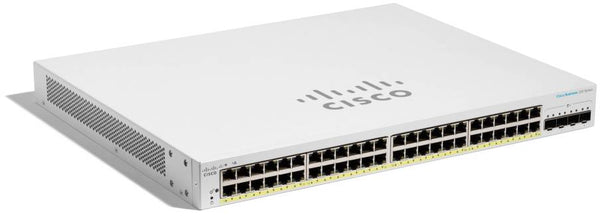
The TP-Link Omada SG2218P (TL-SG2218P) powers a whole floor's worth of devices from one fanless box: sixteen Gigabit 802.3af/at PoE+ ports with a 150 W budget, plus two Gigabit SFP slots for fibre uplinks. Access points, IP phones and cameras all draw power and data from a single cable each, managed centrally through Omada SDN.
Adopt it into an Omada controller for cloud management via the web or the Omada app, or run standalone via web, CLI, SNMP and RMON. Static routing, VLAN, ACL, QoS and IGMP Snooping cover segmentation, security and clean voice and video. Remarkably for a 150 W PoE switch, it is fanless — silent in the cabinet or on the shelf — and ships with a rackmount kit.
The non-PoE SG2218 is its data-only twin; when you outgrow sixteen powered ports, the SG2428P steps up to twenty-four.
Key features
- Sixteen Gigabit PoE+ ports — up to 30 W each for APs, phones and cameras.
- 150 W total PoE budget — realistic headroom for a floor of devices.
- Two Gigabit SFP slots for fibre uplinks.
- Omada SDN integration — centralised cloud management via web or app.
- Standalone management — web, CLI, SNMP and RMON.
- Static routing, VLAN, ACL, QoS, IGMP Snooping for security and smooth real-time traffic.
- Fanless and rackmountable — silent operation, rackmount kit included.
Works with
- TP-Link Omada SG2218 — the non-PoE twin
- TP-Link Omada SG2428P — step up to 24 PoE+ ports
- TP-Link EAP610 — Wi-Fi 6 access point it powers over PoE
- All switches
- All networking
Frequently asked questions
Can all sixteen ports supply 30 W?
Each port can deliver up to 30 W, within the shared 150 W budget. Typical APs and phones draw far less than their maximum, so sixteen everyday devices fit comfortably — add up your real device draw when planning.
Do I need an Omada controller?
No — it manages standalone via web, CLI, SNMP or RMON. An OC200/OC300 or software controller adds cloud access and one dashboard across the whole Omada estate.
Is it noisy in a rack?
No — it is fanless, which is rare at this PoE budget. It ships with a rackmount kit and power cord for cabinet installs.
What are the SFP slots for?
Gigabit fibre uplinks back to the core — useful for longer runs or electrically noisy environments where copper is a liability.
Scoping a PoE deployment? Call 0333 242 1314 or email sales@clisecure.com and we will size the switches, access points and PoE budget before you order.
Key features
Specifications
Interfaces
| Ports | 16 × Gigabit 802.3af/at PoE+ RJ45 |
|---|---|
| Uplinks | 2 × Gigabit SFP slots |
PoE & power
| PoE standard | IEEE 802.3af/at (PoE+) |
|---|---|
| Per-port PoE | Up to 30 W |
| PoE budget | 150 W total |
| Power | Power cord included |
Management & features
| Centralised management | Omada SDN — cloud management via web or Omada app |
|---|---|
| Standalone management | Web, CLI, SNMP, RMON |
| Routing | Static routing |
| Features | VLAN, ACL, QoS, IGMP Snooping |
| Build | Fanless, metal casing, rackmountable (kit included) |
Product details
| Brand | TP-Link |
|---|---|
| Part number | SG2218P (TL-SG2218P) |