 1 / 4
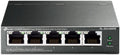
TP-Link SG105PE 5 Port Gigabit PoE Switch
Trade account? Log in for your price
- Ports
- 5 × Gigabit
- PoE ports
- 4 × PoE+
- Management
- Easy Smart (web)
- PoE Auto Recovery
- Built in
Overview
The TP-Link SG105PE (TL-SG105PE) is a five-port Gigabit Easy Smart switch with four PoE+ ports — the smallest way to get both powered ports and simple management into a small business network. It connects and powers up to four PoE devices such as wireless access points, IP cameras and IP phones, with the fifth port free for the uplink.
Unlike a plain unmanaged switch, its web interface and management utility add network monitoring, traffic prioritisation, PoE Auto Recovery and enhanced QoS, while port-based, tag-based and MTU VLANs let you segment traffic for better security — a lot of capability in a desktop-sized box.
Need more ports? The SG108PE and 16-port SG1016PE extend the same Easy Smart approach.
Key features
- Four Gigabit PoE+ ports to connect and power APs, IP cameras and IP phones.
- Web-based management — monitoring, prioritisation and QoS without complexity.
- PoE Auto Recovery reboots hung powered devices automatically — fewer site visits.
- Port, tag and MTU VLANs for simple, effective network segmentation.
- Powerful upgrade from unmanaged at a small-business-friendly price.
- Compact five-port format that fits anywhere a camera cluster or AP needs feeding.
Works with
- TP-Link SG108PE — 8-port Easy Smart PoE sibling
- TP-Link SG1005LP — unmanaged 5-port PoE alternative
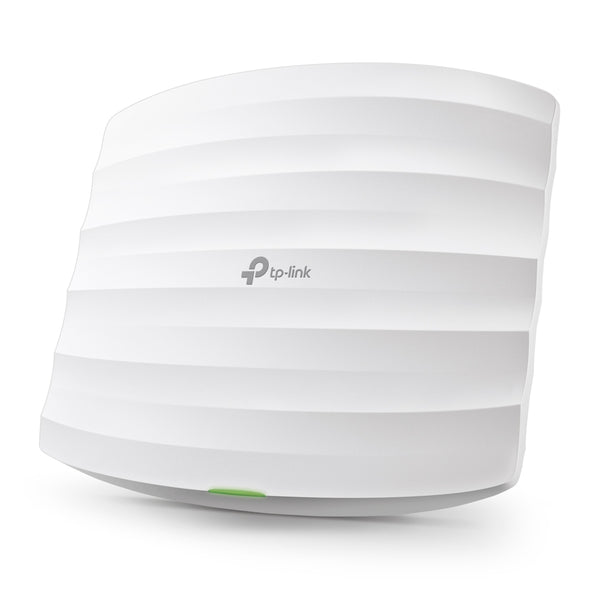
- TP-Link EAP225 — access point it can power over PoE
- All switches
- All networking
Frequently asked questions
Easy Smart or unmanaged — which should I buy?
If you only need ports and power, an unmanaged switch is cheaper. Choose the SG105PE when you also want VLANs, QoS, monitoring and PoE Auto Recovery — features that pay for themselves the first time a camera hangs.
How many devices can it power?
Up to four PoE+ devices — typically access points, IP cameras or IP phones — with the fifth Gigabit port used as the uplink.
What does PoE Auto Recovery do?
It watches each powered device and automatically power-cycles any that drop or stop responding, restoring service without anyone attending site.
Does it need a controller?
No — everything is managed from its built-in web interface or the management utility on your PC.
Building out a small office network? Call 0333 242 1314 or email sales@clisecure.com and we will size the switches, access points and PoE budget before you order.
Key features
Specifications
Interfaces
| Ports | 5 × Gigabit RJ45 (4 × PoE+) |
|---|
PoE & power
| PoE ports | 4 × PoE+ — for APs, IP cameras, IP phones |
|---|---|
| PoE Auto Recovery | Automatic reboot of dropped or unresponsive PDs |
Management & features
| Management | Easy Smart — web interface and management utility |
|---|---|
| QoS | Traffic prioritisation, enhanced QoS |
| VLAN | Port-based, tag-based and MTU VLAN |
| Monitoring | Network monitoring via web UI |
Product details
| Brand | TP-Link |
|---|---|
| Part number | SG105PE (TL-SG105PE) |