 1 / 4
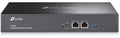
TP-Link Omada OC300 Controller
Trade account? Log in for your price
- Manages
- 500 APs / 100 switches / 100 routers
- Ports
- 2 × Gigabit + USB 3.0
- Build
- Metal casing, rackmount kit
- Management
- Omada cloud + on-premises
Overview
The OC300 is the Omada hardware controller for serious estates: it adopts up to 500 Omada access points, 100 JetStream switches and 100 Omada routers, and manages them all from one dashboard — on-premises for maximum security and stability, or from anywhere via free Omada cloud access and the app.
A powerful chipset in a durable metal casing, two Gigabit ports and a USB 3.0 port for automatic backups make it at home in the rack — a rackmount kit ships in the box. Real-time topology, a Wi-Fi heatmap simulator and batch multi-site management take the pain out of large deployments spanning switches like the SG2428P and fleets of EAPs. Smaller sites are usually better served by the OC200.
Key features
- Centralised management at scale — up to 500 APs, 100 switches and 100 routers.
- Free cloud access via the Omada app or web UI, from anywhere.
- On-premises control for maximum security and stability.
- Powerful chipset and metal casing with two Gigabit ports.
- USB 3.0 auto-backup keeps configurations safe without effort.
- Real-time topology and dashboard for at-a-glance troubleshooting.
- Heatmap simulator, reports and batch multi-site management for easier maintenance.
Works with
- TP-Link Omada SG2428P — 24-port PoE switch for the estates it manages
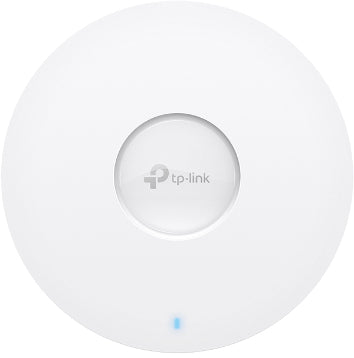
- TP-Link Omada EAP660 HD — high-density AP under its management
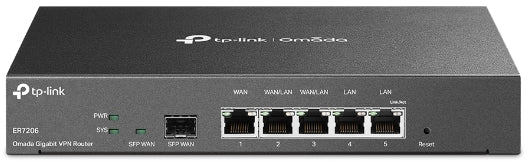
- TP-Link Omada ER7206 — VPN gateway to complete the stack
- All switches
- All networking
Frequently asked questions
OC300 or OC200?
Choose by device count and growth: the OC200 tops out at 100 APs, 20 switches and 10 routers; the OC300 manages 500/100/100 with Gigabit ports and USB 3.0. Multi-site MSPs and campuses should start here.
Does it rack mount?
Yes — a rackmount kit is included, along with a power cord and Ethernet cable.
Is there an ongoing licence fee?
No — cloud access is free and management runs on your own hardware, on your own premises.
Can it manage multiple sites?
Yes — batch and multi-site management are built in, with per-site topology, reports and heatmaps.
Scaling an Omada estate? Call 0333 242 1314 or email sales@clisecure.com and we will size the switches, access points and PoE budget before you order.
Key features
Specifications
Capacity
| Access points | Up to 500 Omada APs |
|---|---|
| Switches | Up to 100 JetStream switches |
| Routers | Up to 100 Omada routers |
Interfaces
| Ethernet | 2 × Gigabit ports |
|---|---|
| USB | USB 3.0 port for automatic backup |
Management & features
| Access | Omada app or cloud web UI (free), plus on-premises management |
|---|---|
| Tools | Real-time topology, dashboard, Wi-Fi heatmap simulator, network reports, batch & multi-site management |
Product details
| Brand | TP-Link |
|---|---|
| Part number | OC300 |
| In the box | Omada hardware controller OC300, quick installation guide, Ethernet cable, power cord, rackmount kit |