Wireless Access Points
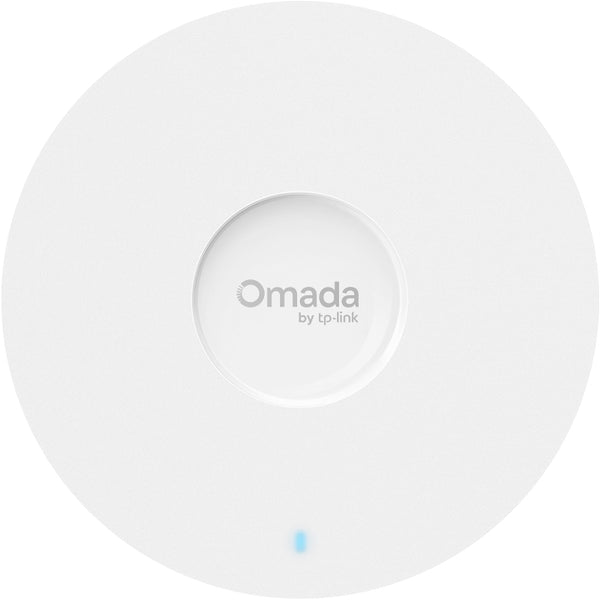
TP-Link OMADA EAP610 Ceiling Mount Access Point
10 in stock
£92.15£110.58 exc VATinc VAT
 1 / 4
Trade account? Log in for your price
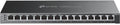
The TP-Link Omada SG2016P gives a growing small business sixteen Gigabit ports, eight of them 802.3at/af PoE+ with a 120 W budget — enough to power a full deployment of access points, IP phones or cameras while leaving eight full-speed data ports for desks and servers. All of it managed centrally through Omada SDN.
Adopt it into an Omada controller for cloud management via the web or the Omada app, or run it standalone via web, CLI, SNMP and RMON. Static routing, VLAN, ACL, QoS and IGMP Snooping cover segmentation, security and clean voice and video. The fanless metal chassis runs silently on a desk or wall — no rack required.
It naturally powers Omada APs such as the EAP610, sits well behind an ER7206 VPN router, and scales up to the SG2218P when you need sixteen powered ports and SFP uplinks.
No — the SG2016P runs perfectly well standalone via its web UI, CLI, SNMP or RMON. A controller such as the OC200 becomes worthwhile when you manage several Omada devices or sites from one dashboard.
Each PoE+ port can supply up to 30 W, and the 120 W budget covers eight typical access points or phones with room to spare — check your devices' actual draw if you are running power-hungry kit on every port.
Eight of the sixteen Gigabit ports supply 802.3at/af PoE+; the other eight are data-only.
No — it is fanless and silent, so it can live in an office or shop rather than a comms room.
Scoping a PoE deployment? Call 0333 242 1314 or email sales@clisecure.com and we will size the switches, access points and PoE budget before you order.
| Ports | 16 × Gigabit RJ45 (8 × 802.3at/af PoE+) |
|---|
| PoE standard | IEEE 802.3at/af (PoE+) |
|---|---|
| Per-port PoE | Up to 30 W |
| PoE budget | 120 W total |
| Power supply | External adapter, included |
| Centralised management | Omada SDN — cloud management via web or Omada app |
|---|---|
| Standalone management | Web, CLI, SNMP, RMON |
| Routing | Static routing |
| Features | VLAN, ACL, QoS, IGMP Snooping |
| Build | Fanless, metal casing, desktop/wall mounting |
| Brand | TP-Link |
|---|---|
| Part number | SG2016P |